Unified Inbox
Last updated: March 2, 2026
Unified Inbox
All WhatsApp conversations from multiple numbers are collected in one inbox.
Navigation
- Go to Chats from the sidebar
- The conversation list is displayed on the left
- Click any conversation to open it on the right
Features
Search & Filter
Search — Type a name or number to find a conversation Filter by instance — Show chat from selected instance only — Click scroll button to view filter feature and select instance

Filter by assignment/team member Filter by group — Only show message from groups only
Send Messages
Message types you can send:
- Text — Plain text messages with emoji
- Image — Send images with a caption
- Video — Send video files
- Document — Send PDFs, Excel, Word files, etc.
- Audio — Send audio files or voice notes
- Template — Use a saved message template
Chat Actions
- Assign — Assign the chat to a team member
- Tag — Add labels to conversations
- Notes — Add internal notes (not sent to the customer)
- Archive — Archive completed conversations
- Delete — Delete conversations
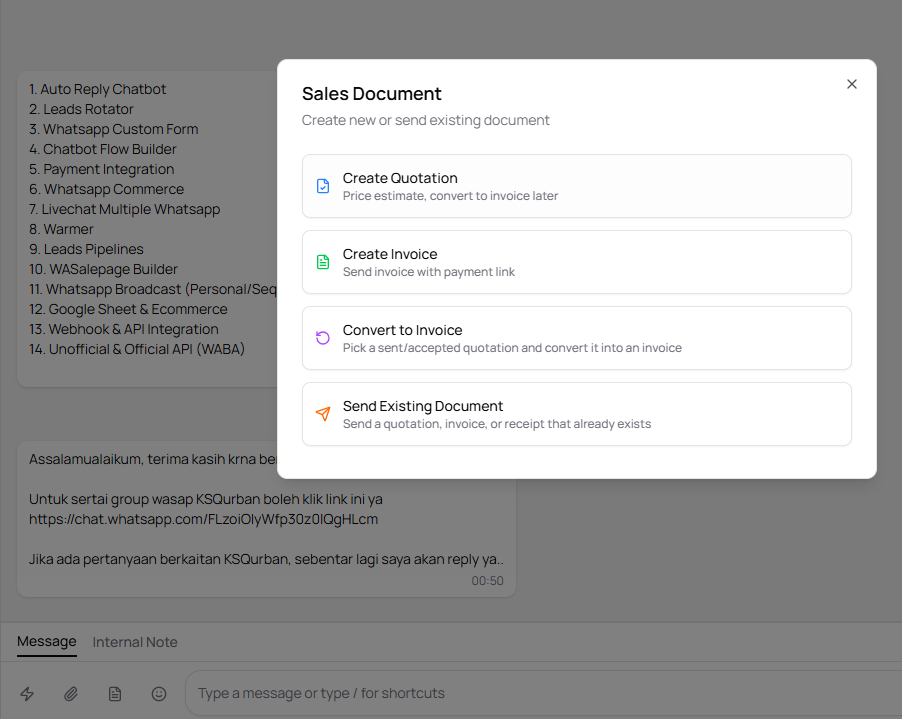
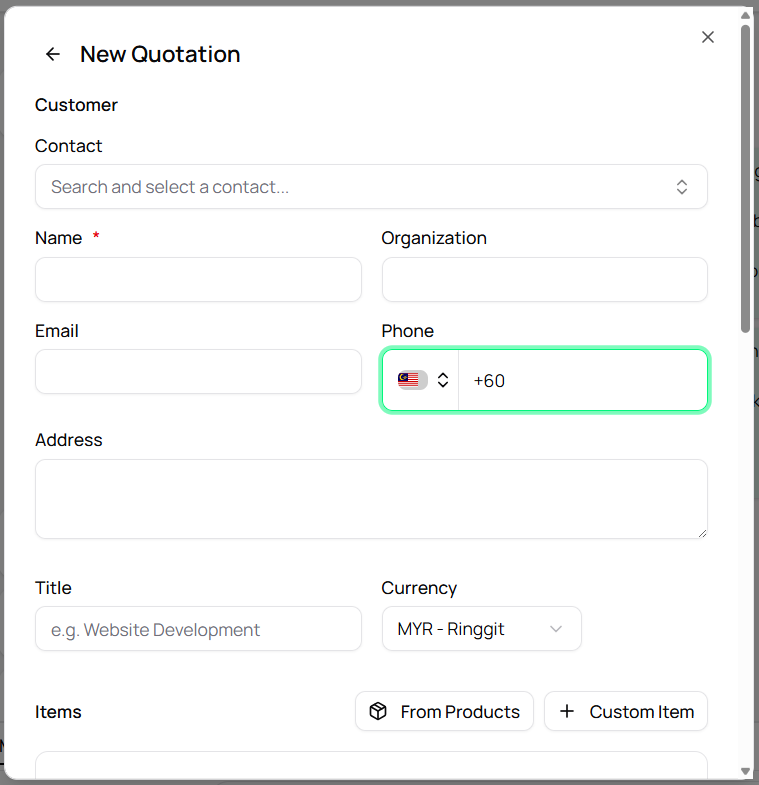
Attach Quotation and Invoice
Generate quotation or invoice directly in Whatsapp chat and receive payment online
- Click at the bottom left of chat panel and click document icon to use this feature
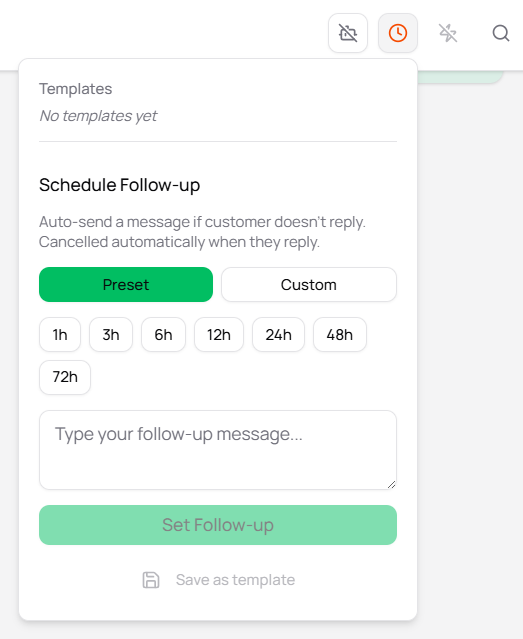
Schedule an Auto Follow Up Messages
Schedule your automated follow up messages to your recipient in one single setup
- Click at the top right of chat panel and click clock icon to use this feature. Set preset or custom timing in setup section.