Connect WhatsApp
Last updated: March 2, 2026
Connect WhatsApp
You need to connect at least one WhatsApp number to start using nakwasap. You can connect your existing Whatsapp Business if you want to use Whatsapp Web feature in NakWasap and you also can connect your existing Whatsapp Business or new number that not yet register for Whatsapp account in NakWasap platform.
WhatsApp Web (QR Code)
The quickest and easiest method:
- Go to Instances menu https://nakwasap.my/instances
- Click Add Connection
- Select type (WhatsApp Web)
- Enter a name for this instance (e.g., "Sales Number")
- Choose preferences
- Reject Calls : NakWasap will reject any calls to your connected Whatsapp number
- Read Messages : NakWasap will auto read all your new messages
- Read Status : NakWasap wil update your message read status
- Always Online : Other users will see your account is always online
- Recommendation : Only turn on your Always Online and Reject Call (if needed)
- Turn on Sync Full Chat History if you want to pull your existing Whatsapp chat history in your phone and shows in NakWasap chatbox
- Click Create Instance
- Scan the QR code using WhatsApp on your phone:
- Open WhatsApp > Settings > Linked Devices > Link a Device
- Wait until the status changes to Connected
Tips
- Make sure your phone has a stable internet connection
- Don't log out from Linked Devices on your phone
- If disconnected, scan the QR code again
WhatsApp Business API (WABA)
For businesses that need high volume and stability:
- Go to Instances menu https://nakwasap.my/instances
- Click Add Connection
- Select type Official API (WABA)
- Enter a name for this instance (e.g., "Sales Number")
- Login to your Facebook Account or Business Manager
- Click Continue with Meta
- Click Continue button
- Select your Business Portfolio
- Create a Business Portfolio if you don't have account yet
- Click Create a Whatsapp Business Account if you want to connect with new number that not registered with Whatsapp yet
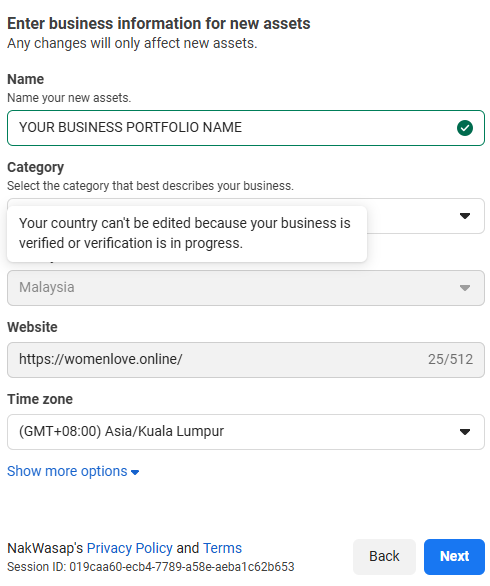
- Write name, choose business category, country, website (if don't have just put www.nakwasap.my) and choose time Zone. Then click Next.
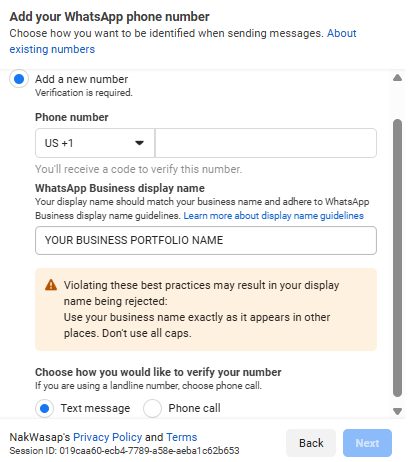
- Add your Whatsapp phone number. Recommended to choose Add a new number (You need to prepare new phone number that not yet registered with Whatsapp). COntinue to finish the process by getting verified through Text Messange or Phone Call from Whatsapp.
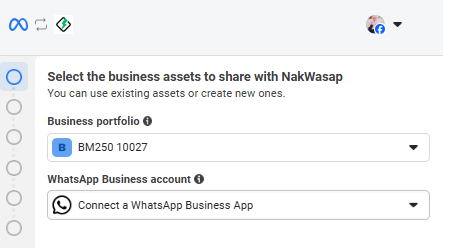
- Select existing Whatsapp Business Account
- Click next and write your existing Whatsapp Business number
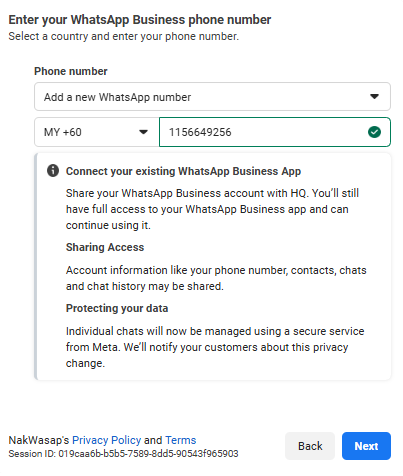
- Choose Add a new Whatsapp Number or choose existing Whatsapp number if shown
- Continue Next until found Confirm button and appear Add payment method page
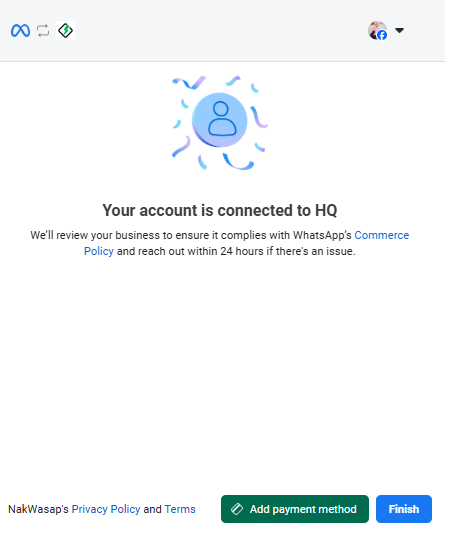
- Click Add payment method button and put your payment card to start using WABA broadcast and automations. WABA will charge your card based on current Official API pricing https://business.whatsapp.com/products/platform-pricing
- Finish set up!
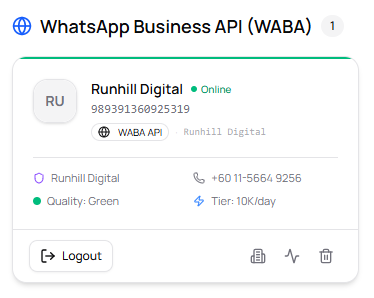
WABA requirements
- A verified Meta Business account
- A phone number not already registered on existing Whatsapp Business Account number
- An access token from the Meta Developer Portal (if want to connect via entering credential manually)