Create an Account
Last updated: March 2, 2026
Create an Account
Steps
- Go to the Sign Up page : https://nakwasap.my/sign-up
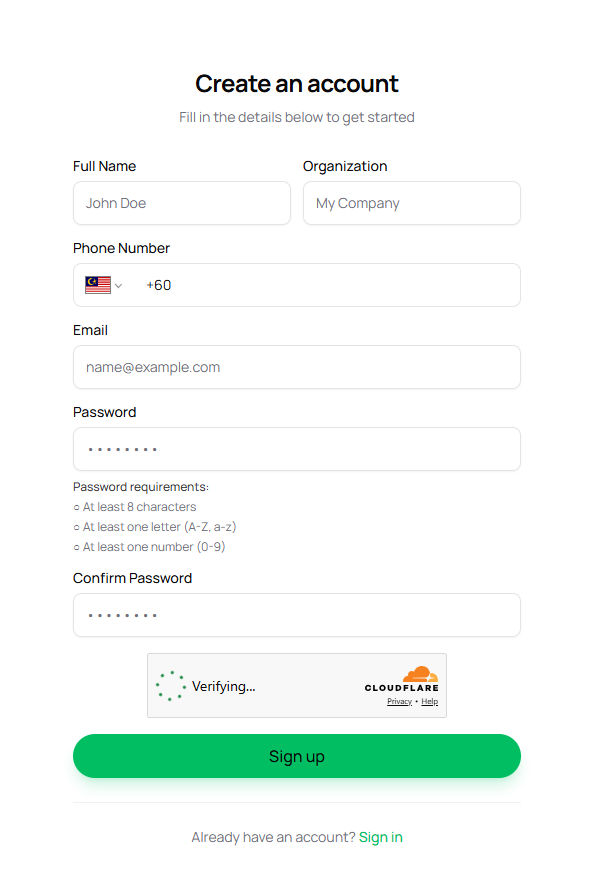
-
Enter the following details:
- Full name
- Organization
- Phone Number (Whatsapp)
- Email address
- Password
-
Click Sign Up
-
Check your Whatsapp message to get verification code
-
Write received code in Whatsapp to verify account
-
Log in to your dashboard
Important notes
- Every account requires Whatsapp verification code before it can be fully used
- Password must be at least 8 characters
- You can change your team name later in Settings > General