
Team Inbox
Every number, every conversation, every agent — in one place, in real time.
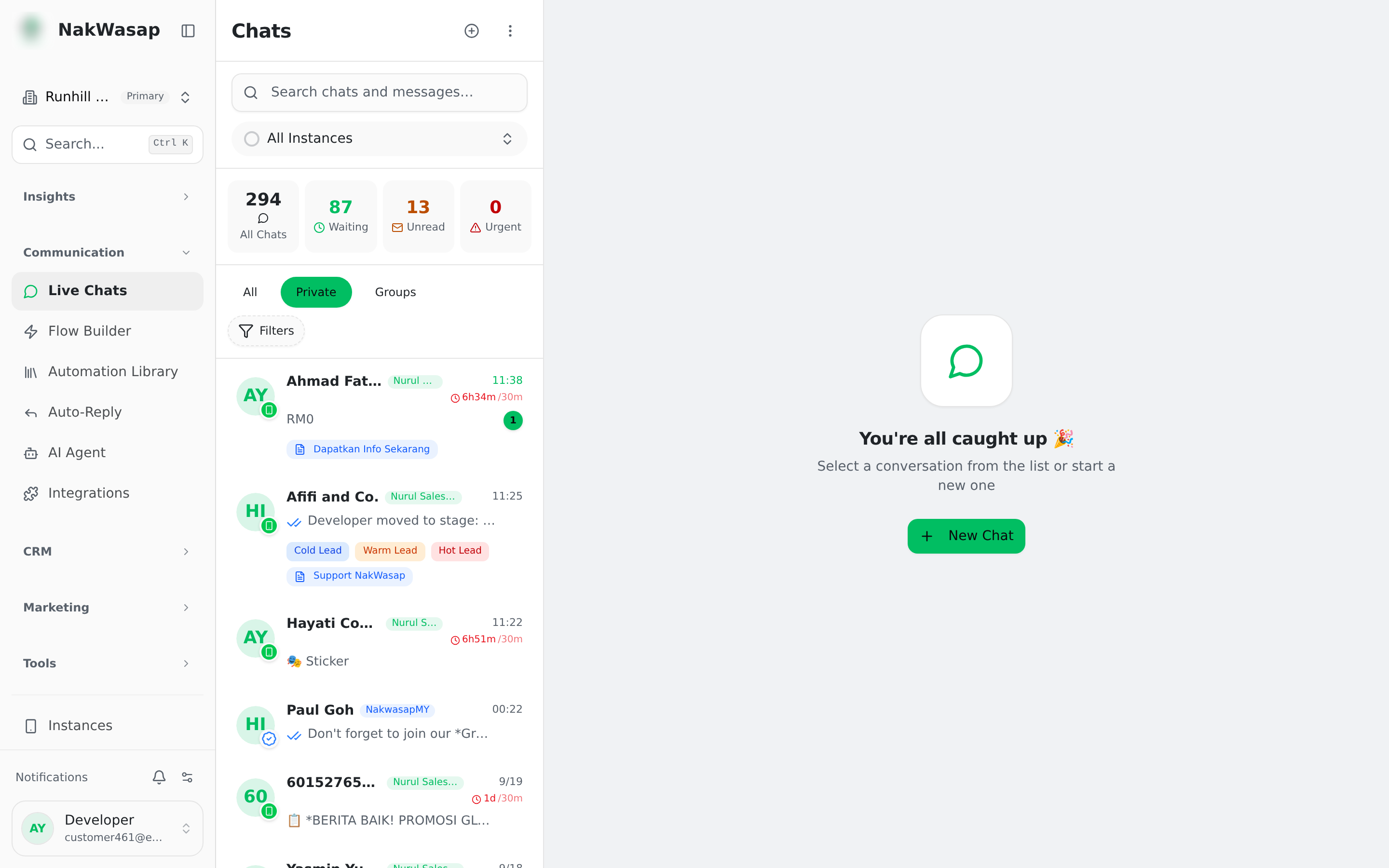
The chat list
Tabs: All · Private · Groups. Views: My Chats · Unassigned · Unread · Waiting · Urgent · Closed.
- —Stat tiles across the top (All / Waiting / Unread / Urgent) are clickable filters
- —Filters: date, pipeline, stage, agent, tag, and number — each appears as a removable chip
- —Saved views keep a filter combination. Scope it private, share it with specific people, or make it team-wide
- —Merged vs separated: if a customer messages two of your numbers, merged mode shows one row, separated shows two. Set it in Settings → General
Search
One box, two searches at once:
- —Chats — name, phone, or saved contact name, from 2 characters
- —Message content — from 3 characters, covering the last 6 months, up to 50 results, shown as a separate "Messages" group you can click into
Reading a conversation
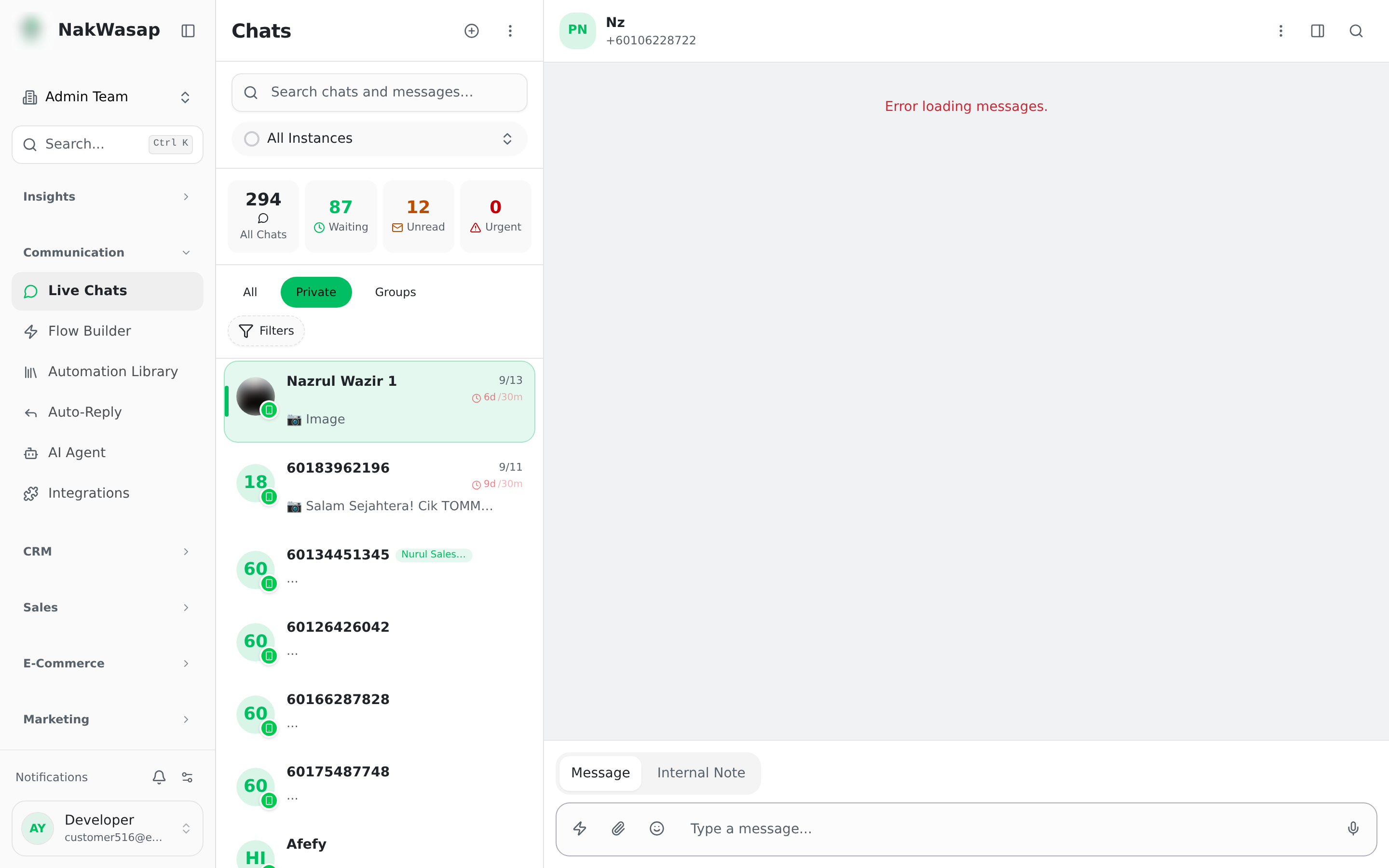
Rendered inbound types: images, video, stickers, audio, documents, location with a map link, contact cards, quoted replies you can tap to jump to, ad-click previews, and reactions.
Message actions: reply (or swipe to reply), forward, copy, react with one of 6 quick emoji, star, pin, assign the chat, delete, resend a failed message.
- —Starring and pinning apply to individual messages, not the conversation
- —Only one pinned message per chat — pinning a new one replaces it
- —Forwarding sends the text or caption only, not the media
Sending
Text, up to 5 attachments per message, paste an image straight from your clipboard, record a voice note, pick from the media library, insert a WABA template, attach a payment link or a sales document, or ask AI for a reply suggestion.
Size limits: 35 MB on WhatsApp Web numbers. On Official API: images 5 MB, video and audio 16 MB, documents 35 MB.
Internal notes
Switch the composer from Message to Internal note. The note is yellow, stays private to your team, and never reaches the customer.
Type @ to mention a teammate. They get a badge, a toast and a sound. Mentions collect in a personal inbox you reach from the notification.
The customer panel
- —Info — contact card, source, originating form, tags, assigned agent, stage and pipeline, lead status, form submissions, custom fields, lead score with a breakdown, and a Google Contacts sync button
- —CRM — WooCommerce orders, Shopify orders, store orders, sales documents and appointments for this customer
- —Media — everything shared in the conversation, split into images, videos, audio, documents, locations and contacts
Handling the conversation
- —Priority — normal, high or urgent. Urgent chats surface in their own tab
- —Response timers — a colour-coded badge on first response. Defaults: green under 5 minutes, yellow under 15. Targets are set per priority and can be limited to business hours. This measures and colours; it does not escalate or reassign on its own
- —Bot pause — when a human replies, the bot steps back. Default 12 hours, then it either resumes or closes the chat. The header shows "Bot paused until…" with a Resume button
- —Archive vs Close — Archive moves the chat to the Closed tab. Close ends any running automation, stops the SLA timer, and writes "Chat closed by …" into the thread
Working as a team
- —See the customer typing, and see which teammate is already in the chat
- —Assign from the sidebar, from a message, or automatically
- —Bulk actions: select multiple chats to delete them, or save them all as contacts at once
Auto-assignment
Each agent has an active toggle, a weight, and a capacity cap. An agent at capacity is removed from the pool entirely. "Recalculate loads" recounts from the database if numbers drift.
Quick replies
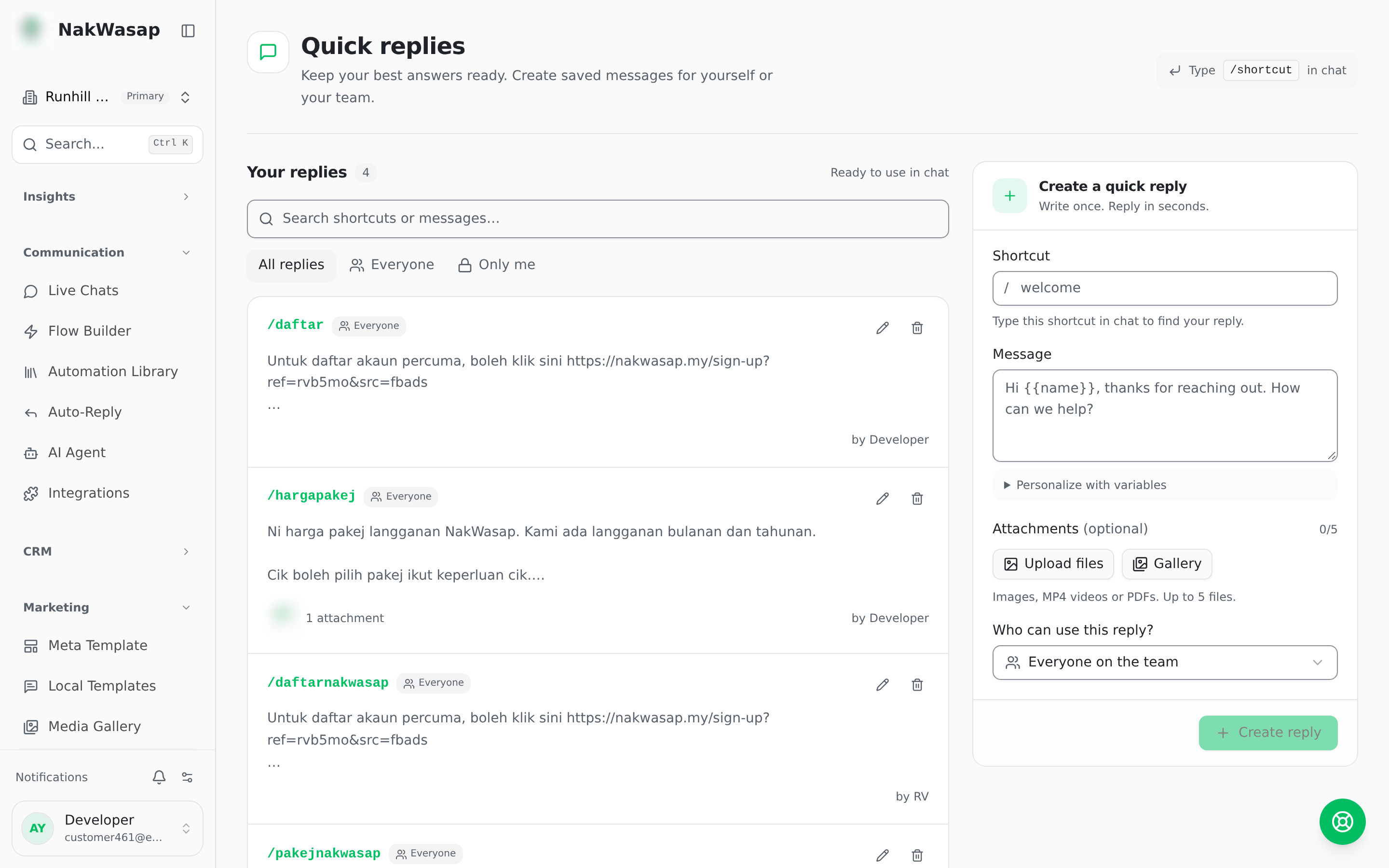
Type /shortcut in the composer and the saved reply appears inline.
- —Variables:
{{name}},{{phone}},{{agent_name}} - —Up to 5 attachments per reply
- —Visibility: everyone on the team, or only you