
Pipeline
Pipeline
A Kanban board where the cards are live conversations.
Where
Pipeline
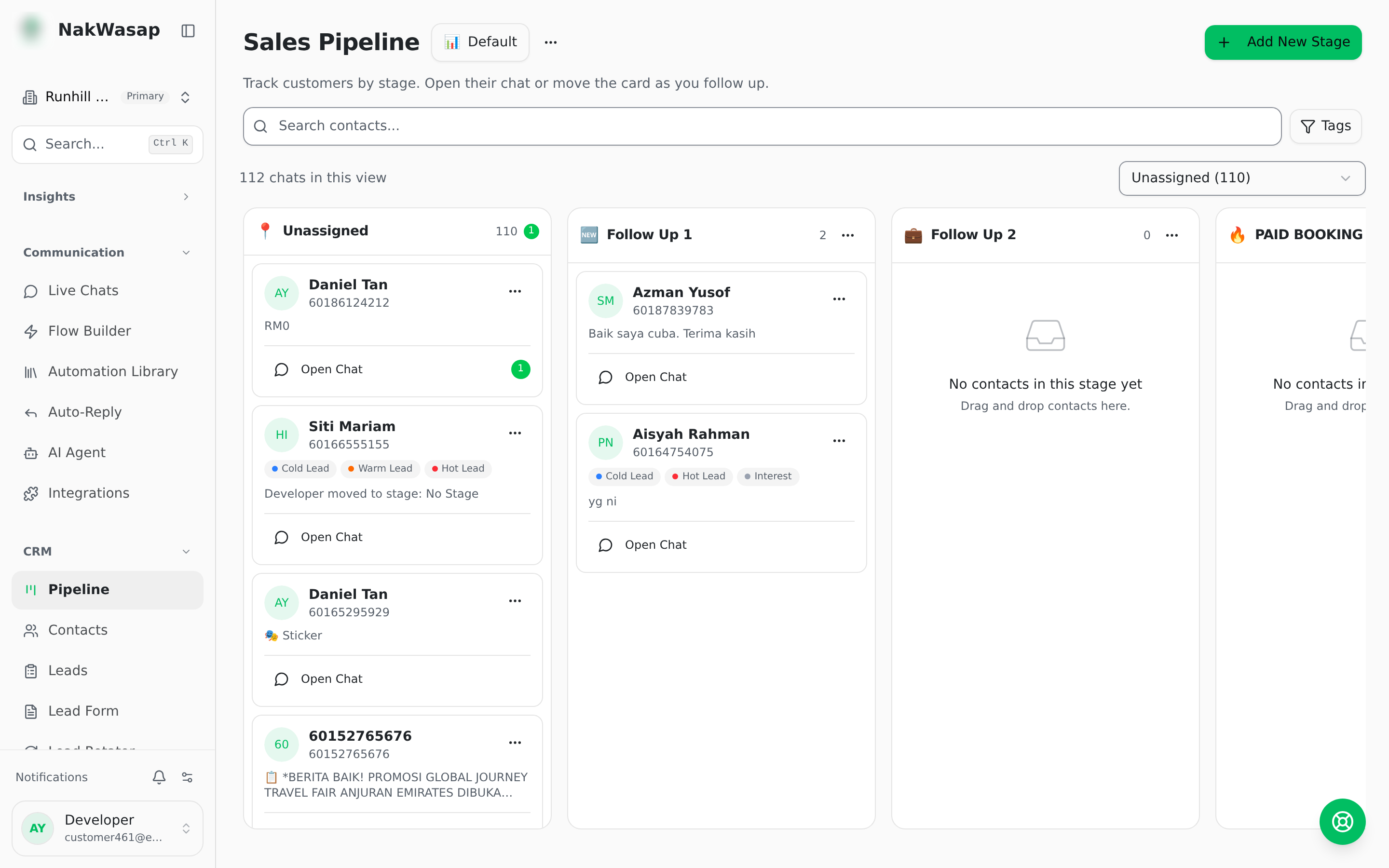
- —Multiple pipelines, each with a name and emoji
- —Stages you create, rename, give an emoji, and drag to reorder
- —Drag a card between stages to move the contact
- —Each column shows its card count and an unread badge
- —Cards load 20 at a time as you scroll
On a card
Avatar, name (click to open the chat), phone or username, up to 3 tags, last message preview, unread count, assignee initials, and an optional "days in stage" badge.
Filters and access
Filter by search, tags (any or all), and agent. Access control: choose which team members can see each pipeline.
NextLeads→