
Settings
General, security, activity, notifications, custom fields, AI keys, learning and feedback.
General
Account name, email and phone · team name · auto-save contacts toggle · chat view mode (merged or separated) · SLA configuration with per-priority response targets, business hours and timezone.
Security
Change your password.
Activity
Your own last 10 actions, each with an actor, timestamp and IP address.
Notifications
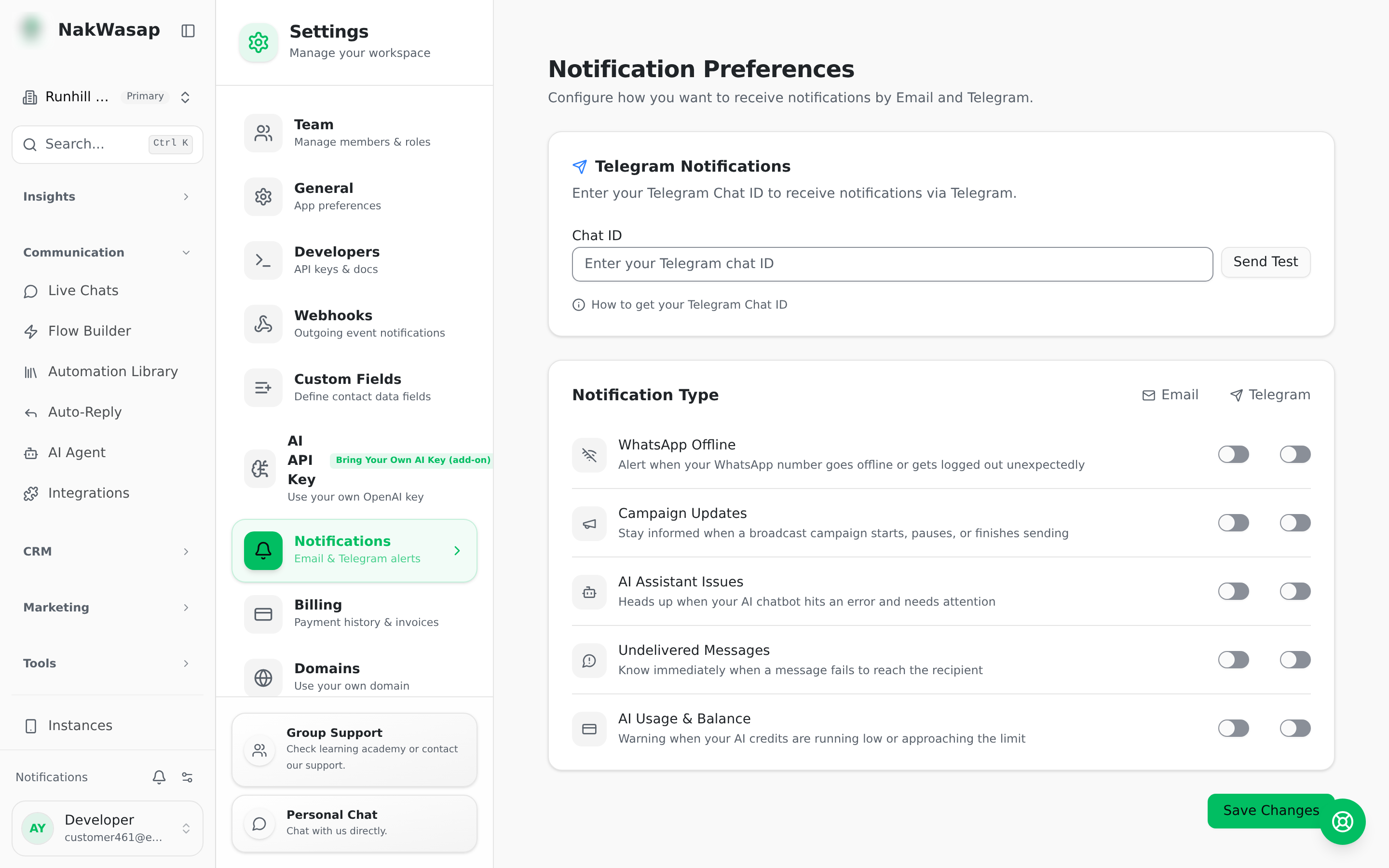
Alerts by email and Telegram for: device disconnected · broadcast status · AI chatbot error · message delivery failed · AI Token alerts. Telegram setup includes entering your chat ID and sending a test message.
Browser push notifications separately cover new messages, mentions, internal notes, chat assignment, disconnections and new leads.
AI
Bring your own OpenAI, DeepSeek or Anthropic key. Each has a Verify button that validates the key before saving.
Learning centre
Video tutorials organised into modules and lessons, each with a duration and an optional link through to the feature it teaches.
Feedback board
Submit feedback, bug reports or feature requests with an optional screenshot up to 2 MB. Track status — pending, in review, resolved or rejected — and read the team’s notes back.
NextBack to the docs index→